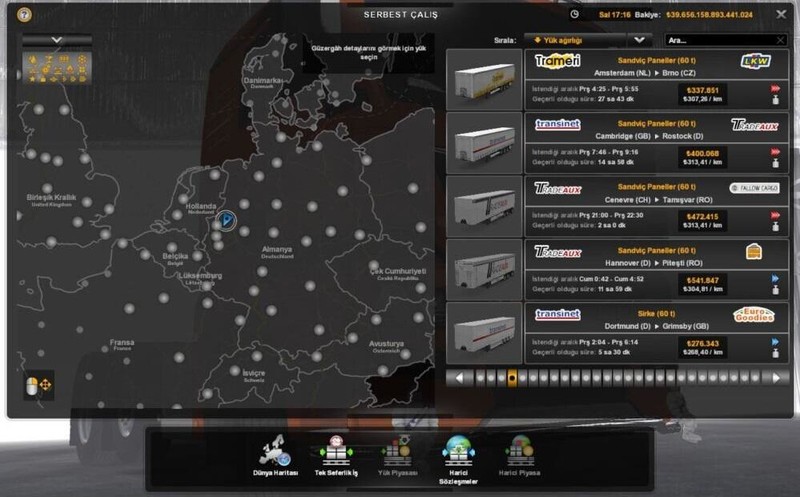
60 TONNEN MOD TRUCKERSMP - SINGLEPLAYER
How to install mods?
-Download the file below.
-After that, move the SCS file to My Documents > Euro Truck Simulator 2 > mod.
-Run Euro Truck Simulator 2 (SP) via Steam.
-On the profile selection screen, click Mods Manager.
-Double click on the 60 TONS.
-Click the Submit Changes button.
-Log in to your profile.
-Go to the freight job and take 60 tons.
-In the main menu click exit.
-Quit the SP and switch to MP.
-Log in Multiplayer and select your profile, If he says anything to you Continue button click.
Frequently Asked Questions
*Q* Mod active in the game , but doesn’t work?
*A* Firstly, disable it 60 ton mod. After than go to your garage and teleport to a garage. In the main menu “Profile manager” click. Activate the 60 ton mod again and get 60 tons from the freight job.
*Q* Cargo mass more than 60 tons, why i see more mass?
*A* Usually you see this in the double trailer, you can continue to get 60 tons from the second page.
Kommentare
Du musst eingeloggt sein um zu kommentieren.
Noch keine Kommentare vorhanden.