1 / 9
Virengeprüft
v1.0 aktuell
Free Mod
Ultra Realistic Reshade von ChapGamingTV (1.37.x)
–
Bewertung
0 Bewertungen
1.9K
Downloads
37.6K
Aufrufe
0
Danke
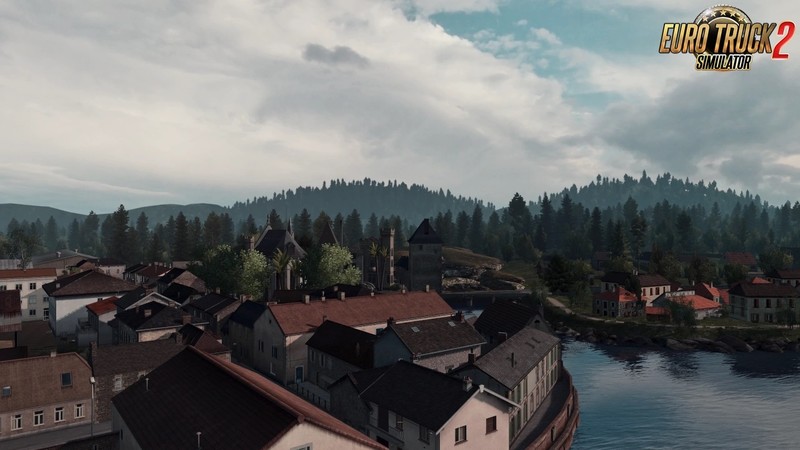
Ultra Realistic Reshade - game presets Reshade added for ETS2 and ATS game which improve game visuals for a better experience. This RESHADE setting works for Euro Truck Simulator 2 and American Truck Simulator.
Installation Instructions:
Step 1:
Optional Mod:
- Download and Install Project Next-Gen 2.0
You can toggle mods
- WEATHER (Filmic) or WEATHER (Default)
Mods Order:
Activate
1. Base
2. Weather
Step 2:
- Download and Install the RESHADE Program
https://reshade.me/
Step 1:
- Find the ETS2 installation path in the bin / x64 folder and select the executable file (ets2.exe)
Step 2:
- Select the option (Direct3D 11/10/12)
Select the following Presets:
- AmbientLight.fx
- DPX.fx
- LiftGammaGain.fx
- Bloom.fx
- FilmicPass.fx
- Levels.fx
- Clarity.fx
- FineSharp.fx
- SMAA.fx
Step 3:
- Copy and paste the configuration files from the folders (ETS2_BETA and ETS2_FULL) into the bin / x64 folder
Step 4:
- To Activate the RESHADE Program within ETS2 Press the "Home" Key
a box will appear and in the upper left select in the "Home" tab the newly installed presets must appear with the name "Preset Edition ChapGamingTV" and "Preset Edition ChapGamingTV_BETA"
- They can alternate between one and the other changes the lighting contrast ...
Tested on game version 1.36.x and 1.37.x
Kommentare
Du musst eingeloggt sein um zu kommentieren.
Noch keine Kommentare vorhanden.