Feed Store Edit
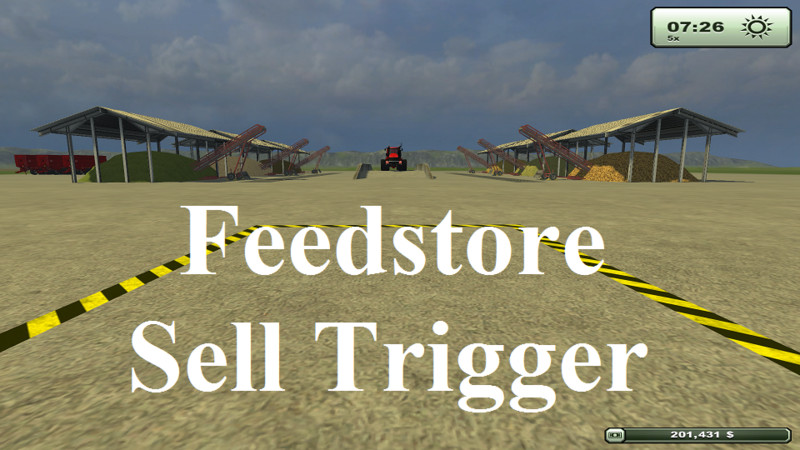
Hello everyone, i have reconstructed the Food Storage v 3.1 by dajoun tunisia.
I was playing around with Courseplay v3.30 and thought wouldn't it be nice to have the foodstore fruits more easily accessable when using Courseplay and also driving manually?
So i came up this layout!
6 storage areas with 8 fruit types: Grass_windrow dryGrass_windrow | Wheat_windrow Barley_windrow | Silage | Forage | Chaff and Manure
New Features: - more spread out for better access - added central dumping ramp for all food types - and included a sell point trigger which you can move anywhere to get rid of any excess food types.
I have tested the triggers for all fruits without any errors (ensure you follow the install instructions and all particle system paths are correct (PS).
Log file has zero errors.
Installation (read the text files provided in the zip)
1-Add extraSourceFiles to your mod modDesc map
2-copy MapSiloBand folder to your map/models/objects folder
3-import with giant editor
Thanks to:
Food Storage v 3.1 by dajoun tunisia
I used the Unterstand from the best map out there =OGF= USA Clan Map by BernieSCS
Cheers.
Kommentare5
Du musst eingeloggt sein um zu kommentieren.
vieleicht bin ich ja zu blöd beckomme einfach nichts aus dem lager herraus.ferkaufen und einlagern klappt weiß nicht mehr weiter
hello again I am sorry I can't read German, I use Bing Translator to read what you have written. are you saying that none of the conveyors work and you can't sell anything at the sell trigger? if I may suggest that you try it in another map, the sell trigger is just a standard game sell trigger and has nothing to do with the conveyor triggers. the conveyor triggers rely on the MapSiloBand.lau file and the PSChaff.i3d PSGrass.i3d PSHell.i3d and PSManure.i3d files. as long as the path points to the directory that these files are in it should all work fine. To make sure the path is correct; after you import the feedStore into your map with GE save it and open it with a text editor (Notepad++) do a search for map/models/objects/MapSiloBand/PSGrass.i3d this is where you may need to change the path. Note you mast change all the particle system paths I think there are 6. hope that helps?
eigentlich nicht schlecht kann zwar grass abladen aber kann es nicht wieder aufladen.kann mir einer helfen
hello hilde, you need to make sure that the script and path to the particle system is correct, please read the text files provided. if you are using a map that the directory structure is not as the default map then you need to manually change the path in 'Notepad++ or text editor. For example: default path is value="map/models/objects/MapSiloBand/PSGrass.i3d"/> if for instance your objects directory is in a different path then you need to adjust it e.g. value="models/objects/MapSiloBand/PSGrass.i3d"/> hope that helps?